Accessibility Consulting & Audit Services for Inclusive Digital Experiences
Identify, assess and fix barriers across your websites, applications and documents. Our consulting and audits help your team meet relevant accessibility standards and make digital services easier to use.
Standards we work to
WCAG 2.2 AA
ADA · Section 508
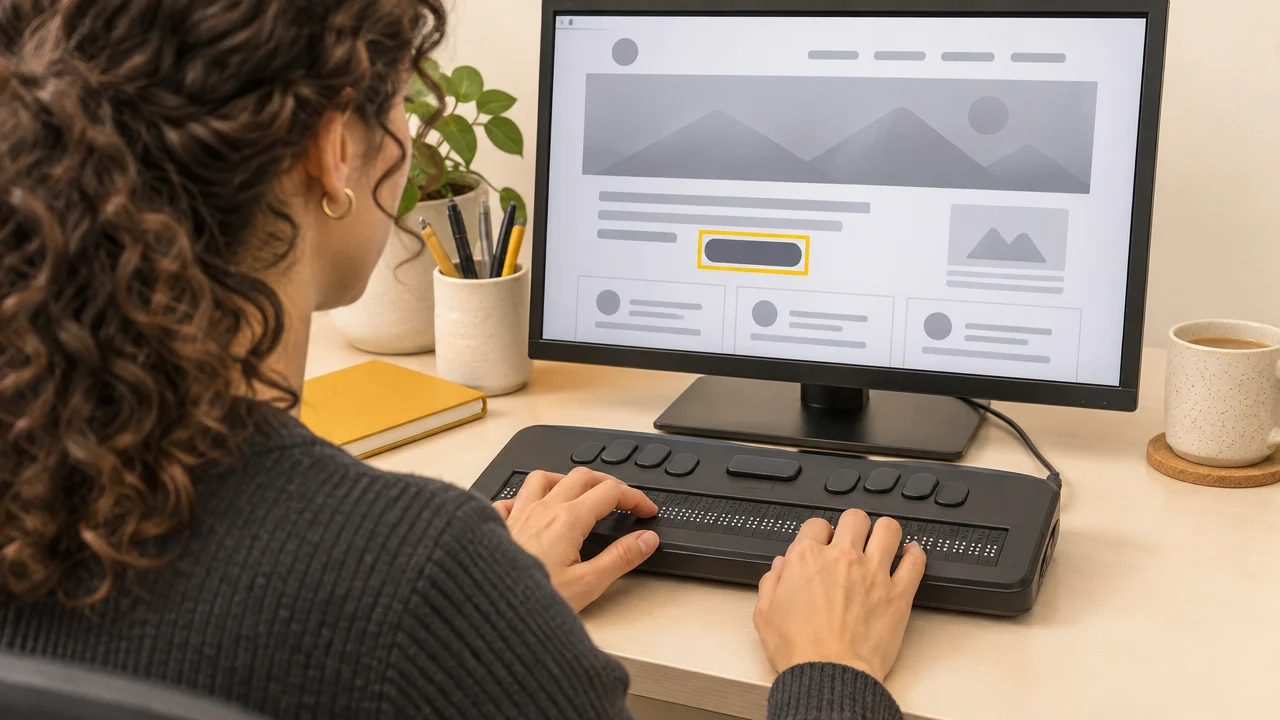
Accessibility That Goes Beyond Compliance
Create better digital experiences while addressing accessibility requirements and reducing barriers for users.
Benefit 1 of 6
Strengthen accessibility compliance
Work toward relevant ADA and WCAG requirements and address Section 508 where it applies.
Benefit 2 of 6
Create more inclusive experiences
Make it easier for people with disabilities to navigate, understand and use your digital services.
Benefit 3 of 6
Find barriers that matter
Combine automated checks with manual testing to uncover issues in real user journeys.
Benefit 4 of 6
Get practical remediation support
Give designers, developers and content teams clear recommendations they can act on.
Benefit 5 of 6
Improve digital document accessibility
Make important PDFs, Word documents and presentations easier to navigate and read.
Benefit 6 of 6
Sustain accessibility over time
Build accessibility checks and regular reviews into the way your team works.
Comprehensive Digital Accessibility Services
What we offer
→ From compliance and accessibility audits to remediation and document accessibility, we help organizations create inclusive digital experiences.
Accessibility Compliance Services
Understand how the ADA, WCAG and Section 508 relate to your digital services.
Explore compliance guidanceDefine the standards and assets in scope, identify gaps and translate technical criteria into requirements your team can use. We can help you prioritize work and document progress for internal reviews or procurement.
Accessibility Audit & Testing
Find barriers with automated evaluation, manual testing and assistive-technology checks.
See what accessibility testing coversWe agree on representative pages, templates and user journeys, then test keyboard access, screen-reader behavior, focus, zoom and other relevant criteria. Findings explain how each barrier affects users and recommend a fix.
Accessibility Remediation Services
Turn WCAG findings into practical fixes for your designs, components and content.
Explore remediation supportWe help your team prioritize and implement changes to areas such as navigation, forms, interactive components and content. Follow-up testing checks whether the changes address the original findings.
Document Accessibility Services
Improve PDF, Word and PowerPoint files for people who use assistive technology.
Explore document accessibilityWe review structure, reading order, headings, alternative text, tables and forms as appropriate to each file. We can also help your team improve source templates so future documents are easier to maintain.
Discuss your accessibility requirements
Discuss Your RequirementsWho We Help
Industries
From public services to online stores, we focus on the websites, documents and digital tasks people rely on in your sector.
Enterprises & Corporations
Corporate sites, employee portals and internal tools.
Government & Public Sector
Public websites, applications, forms and notices.
SaaS & Technology
Web apps, dashboards, onboarding and help centers.
E-commerce & Retail
Product catalogs, search, carts and checkout flows.
Banking & Financial Services
Account portals, applications and statements.
Healthcare & Healthcare Technology
Patient portals, appointment booking and digital forms.
Education & E-learning
Learning platforms, course materials and assessments.
Agencies & Professional Services
Client websites, campaign pages and publications.
Other sectors we support
- Insurance
- Legal
- Publishing & Media
- Real Estate
- Travel & Hospitality
- Telecommunications
- Non-profits
- Research Organizations
Our Approach to Digital Accessibility
Foundational Analysis
Learn about your users, digital assets, priorities and obligations.
Accessibility Assessment & Planning
Test representative journeys and prioritize findings by impact and effort.
Content & Accessibility Improvements
Improve content structure, labels, instructions and alternatives.
Website & Document Optimization
Address issues in interfaces, templates and documents, then verify fixes.
Ongoing Monitoring & Improvement
Review changes regularly and embed accessibility into team workflows.
How it works
Your Journey Towards Digital Accessibility
- Share your requirements
- Get an assessment
- Receive an action plan
- Implement improvements
- Review and improve

Why work with us
Why Accessibility Experts
Comprehensive services
Get guidance, testing and remediation support as your project needs change.
Structured assessments
See what was tested, what we found and which issues to tackle first.
Website and document coverage
Review the files people rely on alongside the websites and apps they use.
Practical remediation
Give the people doing the work clear examples and recommendations.
Cross-industry expertise
Tailor the evaluation to the workflows, users and requirements of your sector.
Continuous improvement
Use retesting and routine checks to maintain progress after launch.
FAQs
Frequently Asked Questions
What is website accessibility, and why does it matter?
Website accessibility means people with disabilities can use a website to find information, navigate and complete tasks. Clear labels, keyboard access, readable content and support for assistive technologies help people use the same services independently.
What is the difference between the ADA and WCAG?
The Americans with Disabilities Act (ADA) is a U.S. civil rights law that prohibits disability discrimination. The Web Content Accessibility Guidelines (WCAG) are technical guidelines for evaluating digital accessibility. The standards and obligations relevant to your organization depend on factors such as its sector and jurisdiction.
What does an accessibility audit include?
A typical audit combines automated checks, manual testing and usability checks on agreed pages, templates and user journeys. Manual testing can include keyboard navigation, screen-reader checks and zoom or reflow checks. The report documents issues, their impact and practical recommendations for fixing them.
How can we address ADA accessibility concerns?
Identify the digital services and obligations in scope. Audit key journeys, prioritize barriers by user impact, assign fixes and verify the changes through retesting. Keep a way for users to report accessibility issues and include accessibility checks in future releases. Seek legal advice if you need an interpretation of your obligations.
What are WCAG 2.1, WCAG 2.2 and the POUR principles?
WCAG 2.2 builds on WCAG 2.1 with criteria covering areas such as focus visibility, target size and accessible authentication. Both versions organize their guidance around POUR. Content should be perceivable, controls operable, interactions understandable, and code robust enough to work with browsers and assistive technologies.
How do automated and manual accessibility tests differ?
Automated tools can flag detectable problems such as missing form labels and some contrast failures across many pages. Manual testing checks things that need human judgment, including sensible focus order, meaningful alternative text and whether a person can complete a task with a keyboard or screen reader. Both methods are useful in an audit.
How much does an accessibility audit cost?
Cost depends on the number of unique templates and workflows, the accessibility standard in scope, the complexity of the product or documents, and the reporting and retesting needed. Sharing representative pages and high-priority tasks helps define a scope and estimate.
How long does an accessibility audit take?
Timing depends on the size and complexity of the scope, access to test environments, the devices and assistive technologies being tested, and the reporting and review process. A focused review of a few journeys can move more quickly than a review across multiple products and document collections.
What is the difference between an audit and remediation?
An audit finds and documents barriers. Remediation is the work of fixing them in design, code, content or documents. A project can include an audit, practical remediation support and a follow-up review to check whether the fixes resolved the original barriers.
What is PDF remediation?
PDF remediation improves how a document works with assistive technologies. It can involve adding tags and headings, correcting reading order, describing images, identifying table headers and labeling form fields. Checking the resulting PDF with assistive technology helps verify that its content and controls can be used.
What is a VPAT, and how is it used in procurement?
The Voluntary Product Accessibility Template (VPAT) is a template for documenting how an information and communications technology product meets specified accessibility criteria. A completed VPAT is called an Accessibility Conformance Report (ACR). Procurement teams use it to compare reported conformance and ask follow-up questions about gaps.
How often should we audit for accessibility?
Set a review schedule based on how often your product changes and how essential its services are. Check high-priority workflows after redesigns, platform changes or major releases, and add focused accessibility checks to routine design, content and development work.
How do accessibility barriers affect users and businesses?
Barriers can prevent people from completing purchases, applying for services or accessing important information. They can also lead to abandoned tasks, more support requests and extra rework. Finding barriers in common journeys helps teams improve access where it matters most.
Why hire an accessibility consultant?
A consultant can help define the right scope, test with assistive technologies, explain the impact of issues and turn findings into work your team can act on. They can also help verify fixes and build repeatable accessibility practices into your workflow.
Consultation
Ready to Make Your Digital Presence More Accessible?
Tell us what you’re working on and where you need support. We’ll use your enquiry to discuss the scope and help you choose a starting point.
- Audits and standards guidance
- Website and document remediation
- Planning and ongoing support
What to include in your enquiry
Share a link to the website, app or documents you’d like reviewed. If you know which pages, tasks or barriers are a priority, mention those too. Include any target dates.